The Special Education BA prepares you to provide expert support for students with disabilities in special education classrooms in grades K-12.
Our program pairs evidence-based training and hands-on field experiences to prepare students for this in-demand career. You’ll learn from expert faculty and use cutting edge techniques to help students with disabilities grow academically, behaviorally, emotionally, and socially. As a licensed teacher, your work will help ensure that all students, regardless of disability, have a knowledgeable teacher to support them.
Teacher Education
Our Teacher Education Program provides diverse experiences with supportive mentors to effectively prepare you for your future classroom.
To learn more about classroom experiences and the Teacher Education program, please:
Endorsements
The Special Education BA prepares students to serve as special educators in grades K-12. Students who complete the major will earn the following endorsements:
- Instructional Strategist I: Mild/Moderate K-8
- Instructional Strategist I: Mild/Moderate 5-12
- Instructional Strategist II: BD/LD K-12
Students may also pursue additional endorsements in consultation with their advisor.
Admissions and Application
Prepare early. Apply early. Admission is selective. This means we may receive more applications than we have available spots in some programs. The earlier you submit your complete application, the earlier you'll receive your admissions decision.
| Semester START | applications open | final deadline |
|---|---|---|
| Spring | Sep. 1 - Dec. 1 | Dec. 1 |
| Summer/Fall | Feb. 1 - May 1 | May 1 |
How to apply to the Teacher Education Program (New first-year students)
Students entering the major as new first-years will receive guidance on the admission process during EDTL:4940 Characteristics of Disabilities in their first (fall) semester and will apply for full progression to the TEP in their second (spring) semester.
To apply, you must:
Submit the Application to the Teacher Education Program (TEP) in the Tk20 application portal. See How to submit your application below. Include the following as part of your application:
- Documented completion of 10‐hour Pre‐admission School Field Experience
- Transcripts from all colleges attended with evidence of courses taken and grades earned. Please upload a UI grade report, and transcripts from any other institutions if the courses and grades do not show on UI grade report.
- An essay (doc, docx, pdf) of no more than 500 words. The topic is available in the application portal (Tk20).
How to apply to the Teacher Education Program (Transfer students and students changing majors)
Students transferring to Iowa and current Iowa students changing majors may apply for full progression to the TEP after they have completed at least 24 semester hours of earned college credit. Students may declare the major prior to earning 24 hours, however, and should do so as early as possible to facilitate advising.
To apply, you must:
- Be admitted to the University of Iowa
- Comple a minimum of 24 semester hours of earned college credit before submitting your application
Submit the Application to the Teacher Education Program (TEP) in the Tk20 application portal. See How to submit your application below. Include the following as part of your application:
- Documented completion of 10‐hour Pre‐admission School Field Experience
- Two recommendations. Ask recommendation writers to complete the recommendation form. One recommendation must be from a college or university instructor. Recommendation writers may return the completed recommendation forms to you for upload to Tk20, or they may email them directly to staff of the Office of Student Services (ask-education@uiowa.edu), who will add them to your application.
- Transcripts from all colleges attended with evidence of courses taken and grades earned. Please upload a UI grade report, and transcripts from any other institutions if the courses and grades do not show on UI grade report.
- An essay (doc, docx, pdf) of no more than 500 words. The topic is available in the application portal (Tk20).
How to submit your application
To submit your application, go to the TK20 application portal and follow the provided directions. We recommend using Google Chrome, so please check your current browser information.
Create your account:
- Click to open the “Admissions” tab at bottom. Then click on “Click here to create your account” at very bottom. DO NOT enter “username” and “password” if this is your first visit to the site.
- Provide the required information in “Create Applicant Account” using your UI email, then click “Submit.”
After you've created your account (or signed in):
- Click on “Applications” in the left side menu.
- From the drop-down menu at top of page, select the appropriate application for your program and click “Next”
- Complete the application
- If you need to stop before your application is complete, click “Save” at the bottom of the form and then click “Close.” DO NOT SUBMIT until your application is complete.
- When the application is complete, click the green “SUBMIT” button at the bottom of the form. You cannot make any changes to the application once you SUBMIT the application.
After you submit your application you will receive a notification from the Office of Student Services that either:
- Your application is complete and will be reviewed by the admissions committee, or
- Your application is incomplete. Please submit the following items.
Consideration of TEP applications
Admissions to the Special Education Teacher Education Program (TEP) are selective. The admissions committee considers applicants' academic records and recommendations in making the admission decision.
To be admitted to the TEP in TEP Good Standing you must meet these requirements:
- 2.70 UI Cumulative GPA and Overall Cumulative GPA
- Grades of C-minus or better in TEP Major Courses
- No Notices of Concern
If you do not meet one or more of these requirements, you may still submit an application and be considered for admission: You must submit an additional form, Petition for Admission to the Teacher Education Program. This form allows you to provide additional contextual information and supporting documents, and request that the Special Education TEP admissions committee consider the additional information and supporting documents in making the admission decision. Contact ask-education@uiowa.edu for the petition form and instructions.
News
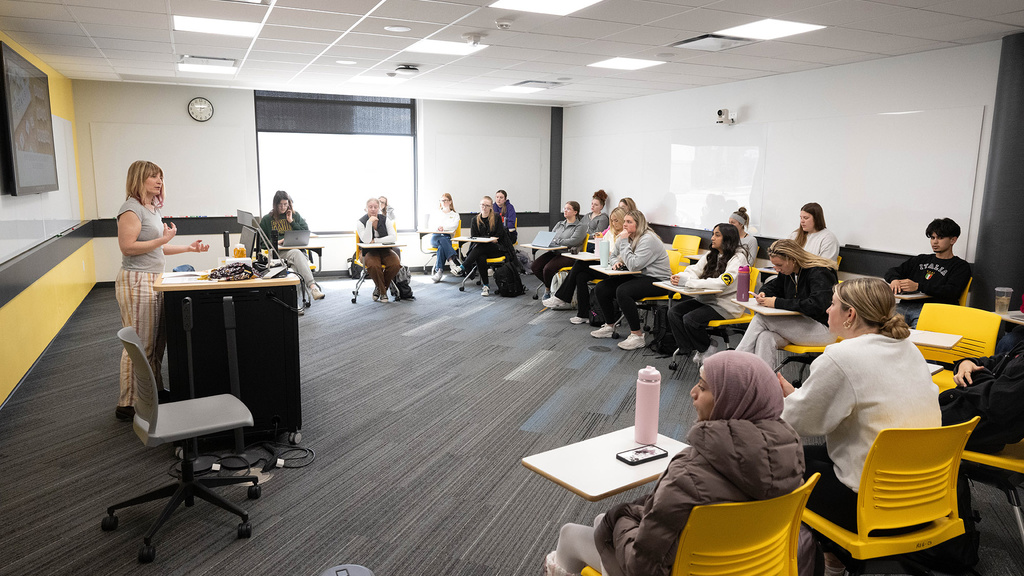
College of Education launches new special education undergraduate degree
With nearly 40,000 job openings expected over the next decade, the need for more special education teachers is clear. UI’s College of Education hopes to help fill some of those vacant positions by adding a new pathway—a Bachelor of Arts in Special Education—to its undergraduate program offerings.